Internet Redundancy for Homelab: the Mikrotik way!
Having a reliable internet connection is ... well, kinda important these days! be it for Working from Home, Doom scrolling the 'gram or just to win the uptime battles. In this blog, I share my journey of making my internet resilient to outages.
So I am fortunate enough to have multiple ISP options in my area delivering internet across all forms of media, be it fiber, copper (Ethernet/Cable/DSL etc.) or wireless. Since I appreciate symmetric bandwidth, I opted for the options that offered symmetrical speeds, both of which turned out to be fiber.
Primary ISP: I am using ACT Fiber for almost a decade, started out with a 250/250 symmetric fiber to the building connection, which I upgraded at the beginning of the pandemic to a symmetric 1G/1G fiber to the home connection, Now I have their fiber coming directly to my core switch. The only disadvantage here is the 3.3TiB limit they impose to the high speed access, albeit they claim it will then switch to 5M/5M unlimited internet but the speed drop itself is enough to disclaim it as usable outside of casual messaging.
Secondary ISP: I have a local ISP as my second ISP, they too deliver internet over fiber, and this is 300/300 Symmetric Fiber to the home connection. This fiber also terminates to my core switch. Since this is a local ISP, their pricing is comparatively competitive but their connection is also not that high quality, hence this is only used as a failover for the primary and as the primary connection for some VLANs that could potentially exceed the 3.3TiB limit on primary, for example, my IoT VLAN (consists of all IoT devices including TVs, smart appliances etc.) is routed through this network as their primary, we do not have satellite or cable so IPTV is our primary source of entertainment, along with casual OTTs (Netflix/Hotstar/Prime Video etc.) and YouTube. This works fine for that since streaming does not require very high speeds. This vacates my primary connection for Speed/latency demanding applications like gaming.
Tertiary ISP: If all hell were to break lose one day (e.g. a storm knocking few trees) causing both my ISPs to go down, since fiber can break and realistically all ISPs rely on the same routes for last mile connectivity, I have a third LTE (5G) Backup internet, while this isn't good for anything, it gives us enough speed an data to get by for a few hours of outage. Ideally, the goal of this connection is to have peace of mind, and I am happy to have it and not use it rather than not having it and going offline during an unforeseen event.
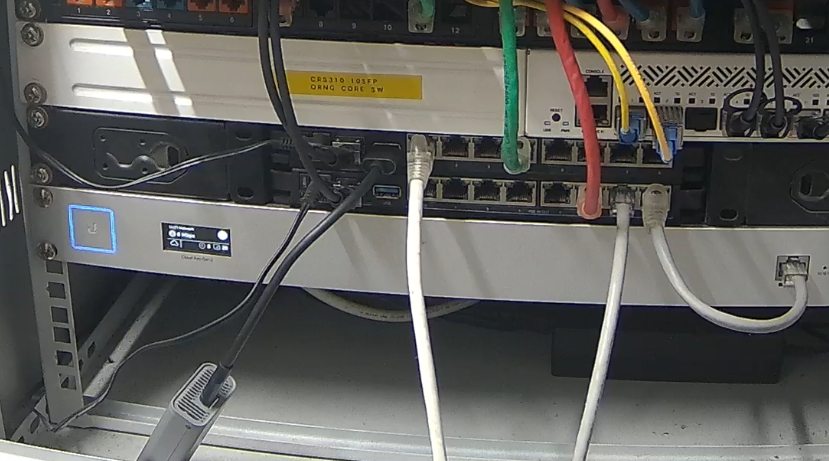
Now, that we have it out of the way, here comes the fun part, Both my ISP links terminate directly to the core switch using two SFP modules, each ISP have their own requirements, while ACT needs a BiDi optic, the local ISP needs an SFP ONU Stick. both of these are then carried over VLAN 50 and VLAN60 respectively to my core router, an RB5009. The 5G Dongle also plugs into this router's USB port and I use route distances as well as some routing rules to make everything work. There is a slight packet loss any time the connection has to switch between the ISPs but You wouldn't notice that during normal browsing. Only time when it will really be noticeable is if you were in a meeting or VOIP call and the connection was to switch mid way, for applications that can handle route changes, it looks like a momentary glitch, for those who are hellbent on having the data stream flow through the same route, usually end up dropping out, but that's okay.

The above image shows the configuration for Routes, first route is half redacted on purpose because it is a publicly routable IP. My primary ISP provides me a static IPv4 address and I don't want my network be an attack vector for the internet trolls. If you notice the 4th column in the image above, the numbers increase with each route, it is routing distance, more the distance, lesser the priority, imagine You have to go from destination A to B, there are 3 different routes, One is an expressway, that provides you the shortest (and fastest) path across the two destinations, then there is a Highway, which is also good but is slightly longer and has some speed limits, third is an inter-state road that has to pass through the states subjecting you to the intra-state commute traffic, By that logic, You'd prefer the faster expressway, if that's currently closed for repairs, You'd prefer the other highway, but if both are closed due to a mass protest, You'll be left with no way but to take the interstate road. In the same fashion, the router prefers to route all traffic through the primary wan as it is the lowest latency, high speed link I have at my location, second is the slightly higher latency, still fast (enough) link but the 5G backup is the last resort if both links are down for any reason.

The above image demonstrates the entire 10.0.0.0/24 subnet getting the special treatment, This is the subnet corresponding to my IoT VLAN, the first three rules make sure that all the RFC 1918 local addresses are looked up using the main routing table, but any WAN connections (0.0.0.0/0) are looked up in a second routing table, that is bound to the second ISP. it is set up such that it prioritizes lookup in second ISP (hence making it the default for that subnet) and then falls back to whatever route is available if the second ISP were unreachable. This, along with some monitoring that I have configured on my network enables uninterrupted internet access at home(lab).